What Type of Instagram Account to Use with BOKBOK
To connect your Instagram account with BOKBOK and enable chatbot features, you need an Instagram Professional Account that's connected to a Facebook page. This guide explains why and shows you exactly how to set it up.
BOKBOK
Published on BOKBOK
Why You Need an Instagram Professional Account
BOKBOK requires an Instagram Professional Account to connect and enable chatbot features. Regular personal accounts don't have the necessary API access that BOKBOK needs to send automated replies and manage conversations.
Instagram Professional Accounts (which include both Business and Creator accounts) provide the integration capabilities that allow BOKBOK to:
- Receive and respond to direct messages automatically
- Access conversation history and manage customer interactions
- Connect through Facebook's messaging platform
- Provide analytics and insights about your chatbot interactions
How Instagram Connects to BOKBOK Through Facebook
Instagram doesn't connect directly to BOKBOK. You need a Facebook Page with your Instagram Professional Account linked from that Page's settings. Then connect Instagram in BOKBOK.
The Connection Flow:
- Convert your Instagram account to a Professional Account
- Create a Facebook Page (or use an existing one)
- Link Instagram from that Page's linked settings
- Connect Instagram in BOKBOK
- BOKBOK can then manage messages from both Facebook and Instagram
This setup allows BOKBOK to handle messages from both your Facebook page and your Instagram account in one place, making it easier to manage all your customer conversations.
How to Convert Your Instagram Account to a Professional Account
Follow these steps to convert your personal Instagram account to a Professional Account:
Open Instagram Settings
Open the Instagram app on your mobile device. Tap your profile picture in the bottom right corner, then tap the three horizontal lines (menu icon) in the top right corner. Select "Settings" from the menu.
Access Account Type
In Settings, scroll down and tap "Account". Then tap "Switch to Professional Account" or "Switch Account Type".
Choose Account Type
Instagram will show you two options:
- Business Account: Best if you have a business, brand, or organization
- Creator Account: Best if you're an influencer, content creator, or public figure
Either option works with BOKBOK. Choose the one that best fits your needs.
Complete Your Profile
Instagram will ask you to add or confirm your contact information (email and phone number). You can also add a category that describes your business or content. Fill in these details and tap "Next".
Connect to Facebook Page (after setup)
After your account is Professional, link it from your Facebook Page's linked settings — not from the Instagram app. You need a Facebook Page for BOKBOK integration.
- Create a new Facebook Page if you do not have one yet
- Or use an existing Page — disconnect any old Instagram link from that Page first if needed
Open the Page → Page settings → Linked accounts → connect Instagram. This links your account to Facebook's messaging system, which BOKBOK uses.
Finish Setup
Review your profile information and tap "Done" or "Complete Setup". Your Instagram account is now a Professional Account connected to a Facebook Page.
How to Link Instagram from Your Facebook Page
Link your Instagram Professional Account from your Facebook Page settings. Important: connect from the Page — not from a personal Facebook profile.
- Create a Facebook Page if you do not have one yet, or open the Page you already use for your business.
- If that Page already has a different Instagram linked, or BOKBOK already has the Page connected with the wrong setup: Disconnect in BOKBOK first, then remove the old Instagram link from the Page's linked settings.
- Open your Facebook Page (not your personal Facebook profile).
- Go to Page settings → Linked accounts (look for Instagram under linked accounts).
- Click Connect account or Connect Instagram, enter your Instagram login when prompted, and authorize the connection.
- Confirm the link. Your Instagram Professional Account is now connected to that Facebook Page.
Once linked, your Page and Instagram share messaging capabilities that BOKBOK can access when you click Connect Instagram in your dashboard.
Before you connect in BOKBOK
Make sure Instagram is a Professional Account and is linked from the Facebook Page first. Then in BOKBOK, open your chatbot → Integrations → Connect Instagram, choose the Page that has Instagram linked, and allow access.
Next Steps: Connect to BOKBOK
Once your Instagram Professional Account is connected to a Facebook Page, you can connect that Facebook Page to BOKBOK:
- Log in to your BOKBOK dashboard
- Go to the integration or connections section
- Select "Connect Facebook Page"
- Authorize BOKBOK to access your Facebook Page
- Once connected, BOKBOK will automatically handle messages from both your Facebook Page and your Instagram account
Your Instagram messages will appear in BOKBOK's conversation management interface, and the chatbot will be able to respond to Instagram direct messages automatically.
Important Notes
⚠️ Keep Your Connection Active
If you disconnect your Instagram account from the Facebook Page, or change your Instagram account type back to personal, BOKBOK will lose access to your Instagram messages. Make sure to keep the connection active for continuous chatbot functionality.
💡 Both Accounts Work
Both Instagram Business Accounts and Creator Accounts work with BOKBOK. Choose the one that best fits your needs—the functionality for chatbot integration is the same.
Summary
To use BOKBOK with Instagram, you need an Instagram Professional Account (Business or Creator) linked from a Facebook Page. The connection flow is: Professional Instagram → link from Facebook Page → Connect Instagram in BOKBOK.
Converting to a Professional Account is free and takes just a few minutes. Once set up, you'll have access to BOKBOK's powerful chatbot features for your Instagram account.
Try BOKBOK free
Reply to customers faster on website, WhatsApp, Facebook, and Instagram.
Official platform resources
These are public help pages from each platform (account or Page basics only). They are not BOKBOK setup steps — after your account is ready, connect inside BOKBOK or message our team for guided help.
- Create a Facebook Page
Official Meta help for creating a Facebook Page for your business.
- Switch to an Instagram Professional Account
Official Instagram help for Business or Creator (Professional) accounts.
- WhatsApp Business overview
Official WhatsApp Business introduction — account basics on their site.
Explore related topics
Dive deeper into BOKBOK features, integrations, and industry guides connected to this article.
Industries
Related articles
Instagram Connection Setup with BOKBOK
Connect Instagram to BOKBOK with a Professional Account (Business or Creator) linked to a Facebook Page, plus steps to fix common connection issues.
How to Connect Instagram DMs to BOKBOK
Connect an Instagram Professional Account to BOKBOK through Facebook so product and service questions in DMs get helpful replies.
BOKBOK Social Media Integration
Learn how BOKBOK works with WhatsApp, Facebook, and Instagram to help with customer messages and reduce your workload.
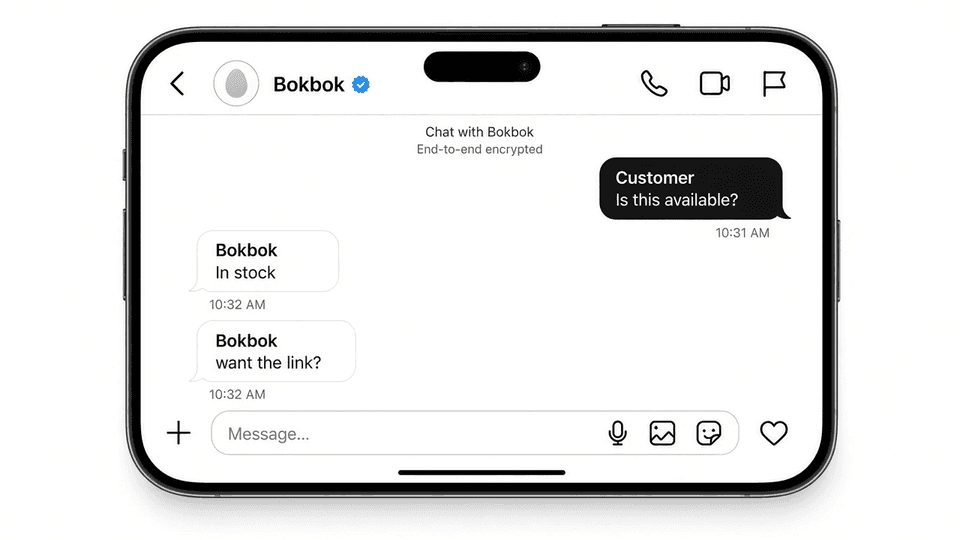
Instagram DM Auto Reply with BOKBOK Message Reply
Set up Instagram DM auto reply with BOKBOK for Professional Accounts. Answer price and availability questions without living in your inbox.